Set up your customer support email
Updated October 22, 2026
Manage and brand your shop's support email for all customer inquiries
Your shop's support email is created for you, and Fourthwall Support answers it. The one thing to set is the Customer support email address in Settings > General under Shop details. That's where Fourthwall forwards emails it can't answer for you, such as a sponsorship offer or a question about a product you ship yourself.
Your shop's support email
Every Fourthwall shop gets a unique support email automatically when your shop launches. No setup is required. Customers reach it through the contact form on your Contact page (your shop URL followed by /contact), where they choose whether their question is about an order they placed or something else. Support emails go to the Fourthwall Support team, which handles inquiries about:
- Sizing and product questions
- Order status
- Quality concerns
- General customer support
Customers get to the contact form by clicking the Contact link on your shop.
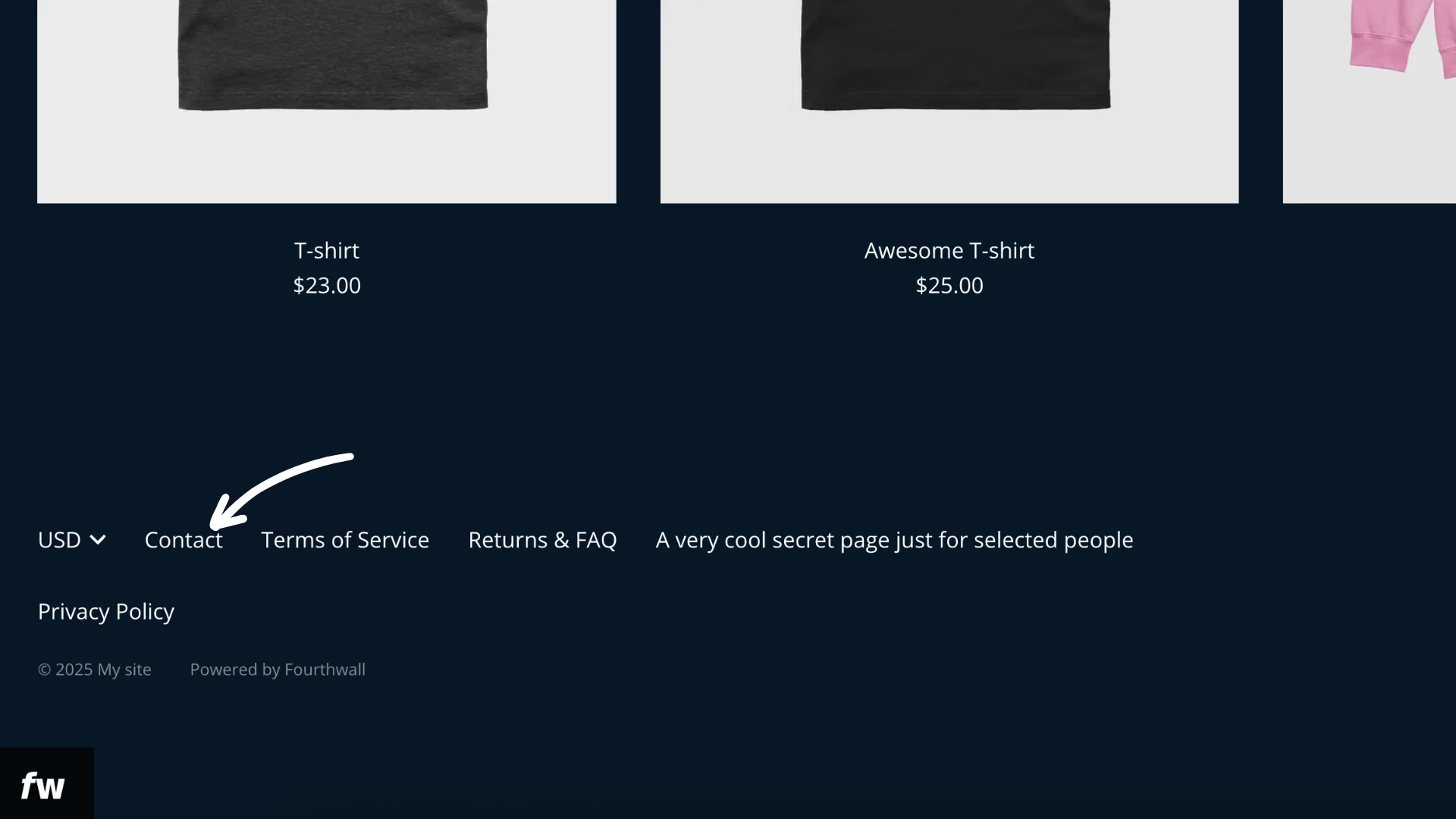
Any @support.fourthwall.com address (and any @support.customdomain.com address Fourthwall issues for a connected domain) routes to the Fourthwall Support team. These addresses cannot be used as a creator Reply-To.
Short support alias on DHL return labels. DHL allows return email addresses of up to 50 characters. If your shop's support email is longer than that, Fourthwall uses a short alias ending in @support.fourthwall.com as the return email on DHL shipments, so your orders still ship. Messages sent to the alias reach Fourthwall Support and are matched to your shop. Your customer-facing support email doesn't change. To keep the alias off return labels, set a support email of 50 characters or fewer.
Who answers my customers' emails?
Fourthwall Support answers most emails your customers send to your shop's support email, including questions about sizing, order status and quality. Some emails are forwarded to the address in the Customer support email address field in Settings > General under Shop details, so you answer them yourself:
- Questions about an order that contains only items you ship yourself. These go straight to you.
- Messages Fourthwall Support can't answer for you, such as a sponsorship offer or a question about a product you're shipping.
Custom domain support email
If you want a fully branded support email without the Fourthwall domain, you can add a custom domain. Once it's connected and you've added MX records on its support. subdomain, Fourthwall sends your support email from that subdomain. If your DNS provider can't add MX records on a subdomain, support emails are sent from a Fourthwall address instead.
For example: contact@support.customdomain.com
You can follow Set Up Your Custom Domain article to connect your domain.
Your branded support email works once every record listed in Settings > Domain is added at your domain provider, including the records on support.yourdomain.com. Until those records are found, your domain shows Partially connected. For help, see Troubleshoot your domain and DNS records.
Use your own branded Reply-To address
Fourthwall does not host email mailboxes. To send and receive messages from a branded address like hello@mybrand.com, set up a mailbox with an external email hosting provider (such as Google Workspace, Microsoft 365, or your domain registrar's email service) on a domain you own.
Once your mailbox is active, enter that address in the Customer support email address field in Settings > General > Shop details. Fourthwall will forward any messages we can't answer for you to that address, and replies will come from your branded mailbox.
The Customer support email address field accepts any address you own, including branded addresses on your own domain. It is optional. If you add an email here, Fourthwall forwards messages we are unable to answer for you (for example, a sponsorship offer or a question about a product you are shipping). If you leave this field blank, your auto-created support email still works and Fourthwall continues to handle all standard support inquiries.