Change your Fourthwall Pro billing cycle
Updated March 24, 2026
Step-by-step instructions and what to expect when switching your Pro billing cycle
Switching between monthly and yearly billing for Fourthwall Pro requires completing your current billing period before changing plans. This article explains exactly how the process works, what steps to follow, and what happens to your products and store during the transition.
How billing cycle changes work
At this time, Fourthwall does not support instant plan switching between monthly and yearly billing.
To change your billing cycle, you’ll need to:
- Cancel your current subscription and wait until the current billing period expires.
- Re-subscribe using your preferred billing option.
This applies to switching between monthly and yearly plans.
How to change your billing cycle
Step 1: Go to Settings > Plan in your Fourthwall dashboard.
Step 2: Under Your plan, click Cancel subscription.
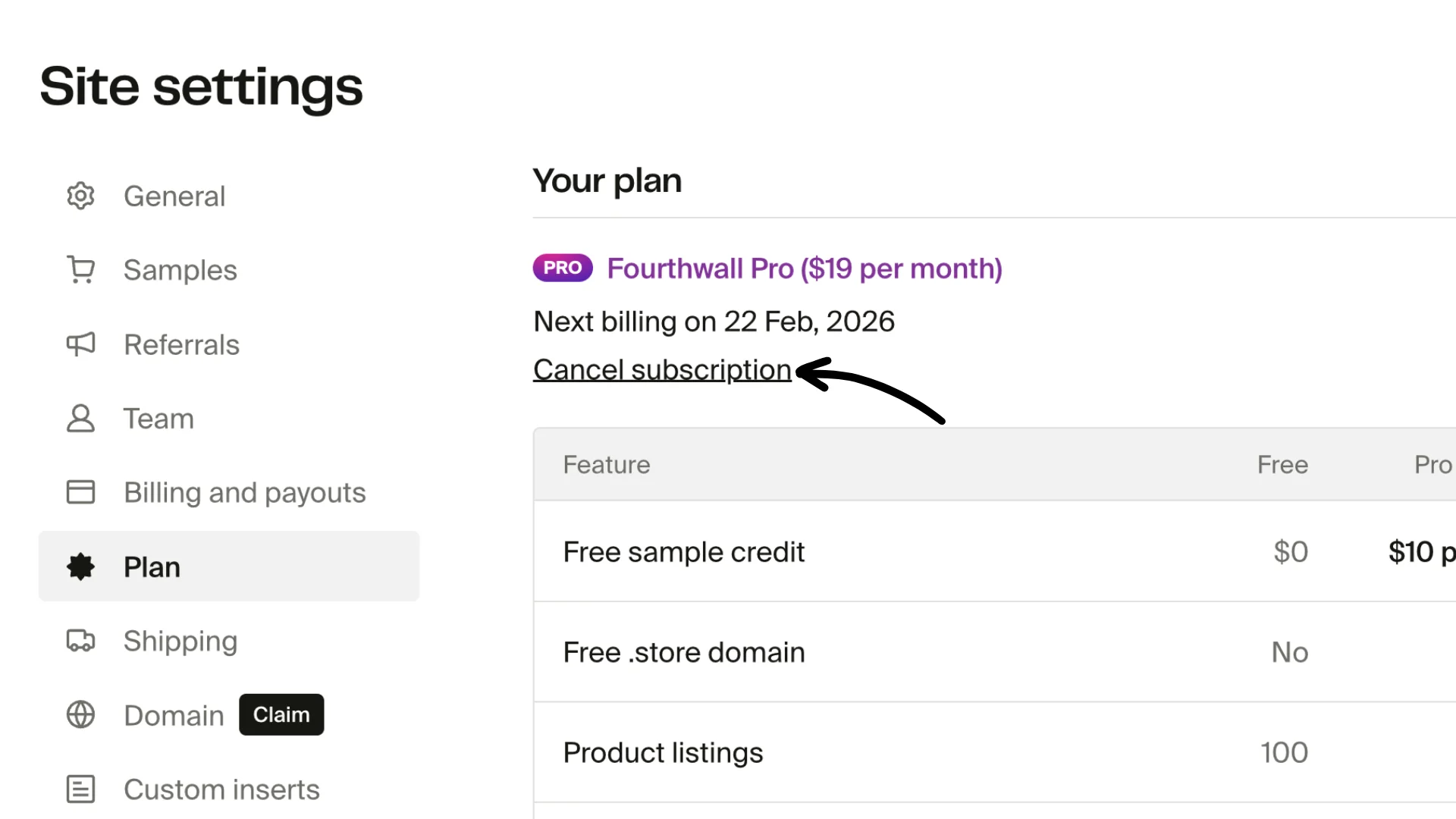
Step 3: Continue using Fourthwall Pro until the end of your current billing cycle.
Note: You can reactivate your subscription while still within the current billing cycle. This action will reverse the cancellation.
Step 4: Once your subscription expires, return to Settings > Plan.
Step 5: Select your preferred Pro plan option and complete the checkout.
That’s it! For answers to frequently asked questions about Fourthwall Pro, please click here.
Why can't I switch instantly?
This is a current platform limitation related to how subscriptions and billing cycles are processed. The team is actively exploring ways to make plan changes smoother in the future.