Twitch integrations for memberships
Updated September 23, 2024
Level up your Memberships with on-stream gifting and discounts for Twitch subscribers
Fourthwall gives you one-of-a-kind tools to engage and reward your community on Twitch. This article will explain how to set up and manage the Twitch Gifting for Memberships and Twitch sub discounts features. For Twitch discounts for orders and products, go to this help article: Twitch Subscribers Discounts - Orders and Products.
Twitch Gifting for Memberships
With Twitch Gifting, you and your viewers can gift memberships (as well as merch) to your chat while you're live. Once enabled and a gift is purchased, our FourthwallHQ will automatically kick in to announce and manage the giveaway process.
If you have already enabled Twitch Gifting (for example, for products in your shop), no action is needed. When you're live on Twitch, each of your memberships tiers will automatically display a "Gift to Twitch chat" button. You and your community can choose to gift one-month or one-year memberships (if available).
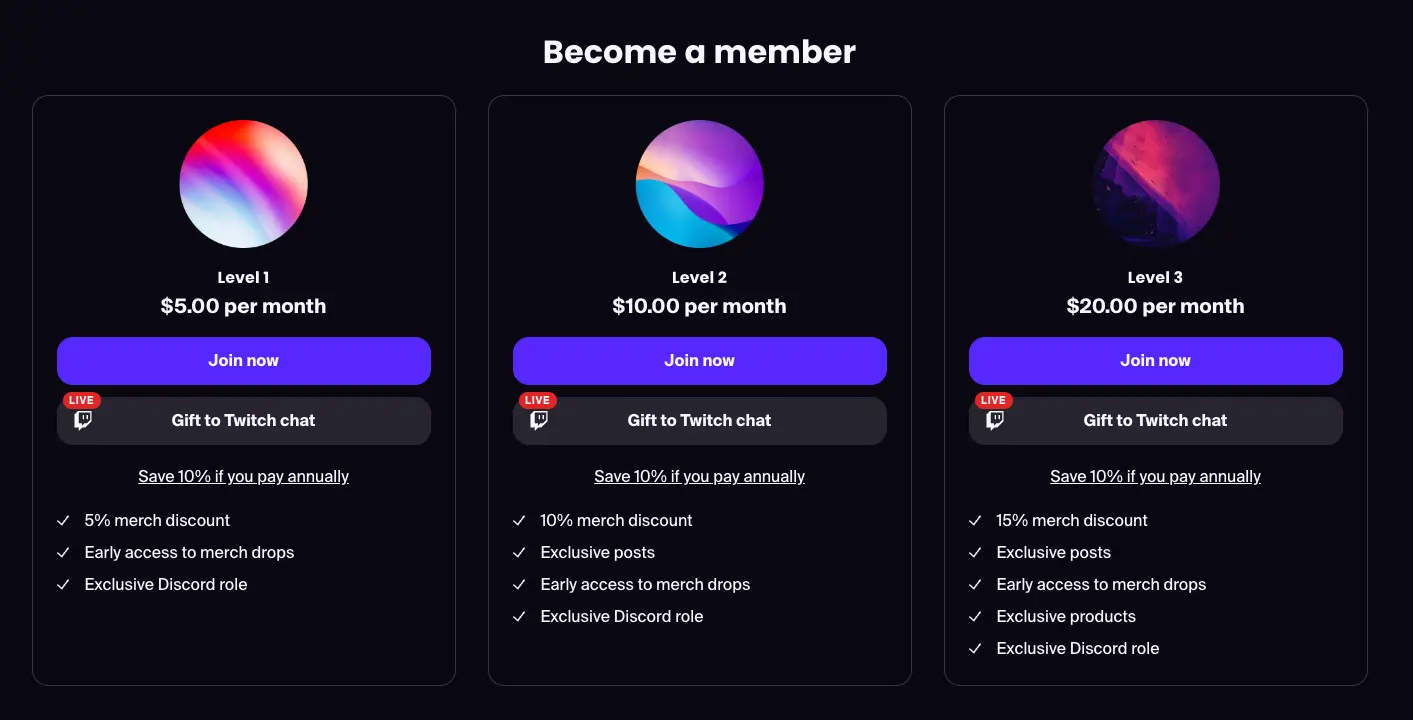
If you have not yet enabled Twitch Gifting, head to the Apps tab in your Fourthwall dashboard, find the Twitch Gifting app, and click on it to connect and set it up. Follow the steps to link your Twitch account to your Fourthwall account. Once complete, you're ready to support live gifting on your stream!

Winners of memberships giveaways will be able to redeem their free membership by clicking your redemption link (yourshopname.com/redeem) and completing sign up for free. Several days before their free membership expires (after one month or one year, depending on the gift), they will receive an email reminder to enter in their payment details in order to continue enjoying their membership without disruption.
Note*: Gifted memberships can only be redeemed by users who are not already members of your site. If an existing member is selected as the winner of a giveaway, you have the option to redo the giveaway from your dashboard. While our bot highlights these requirements, we also recommend calling them out to your community members to avoid confusion.*
For an extensive guide on how Twitch Gifting works, click here.
Twitch sub discounts for Memberships
Offering your Twitch subscribers discounts on your Fourthwall Memberships is a great way to grow your community, reward your subs, and create a consistent customer experience across platforms. It also gives you the option to gain more control over your income by creating an incentive for higher tier subs to downgrade to Tier 1 and subscribe to your Fourthwall Memberships, where 95% of their subscription will go directly to you (vs just 70% on Twitch).
Setting up Twitch sub discounts
To set up Twitch sub discounts, go to Apps > Membership discounts for Twitch subs and click on it to connect and set it up.

Complete the steps to connect your Twitch account (if you haven't already). You can choose to offer the same discount for all your Fourthwall Memberships tiers (if you have more than one), or offer different discounts for different tiers.
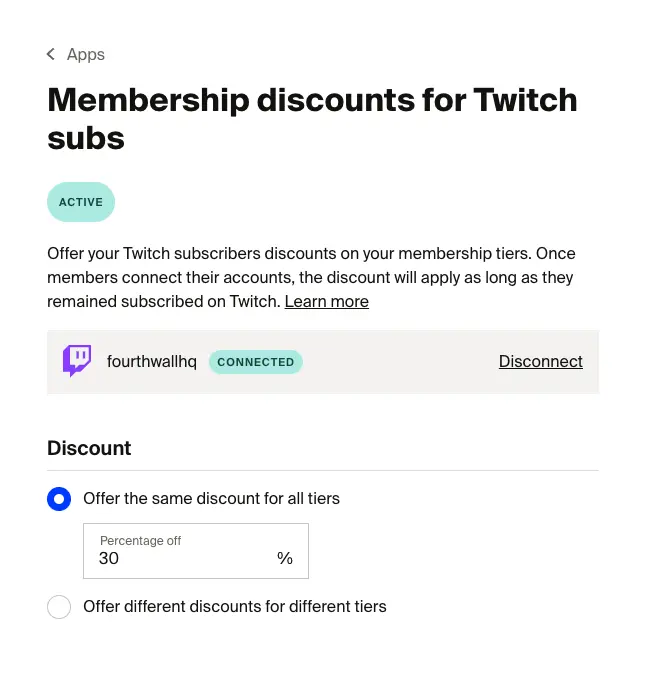
The maximum membership discount you can offer Twitch subscribers is 80%.
Be sure to click "Save" in the top right-hand corner after you've completed your changes.
Applying Twitch sub discounts as a customer
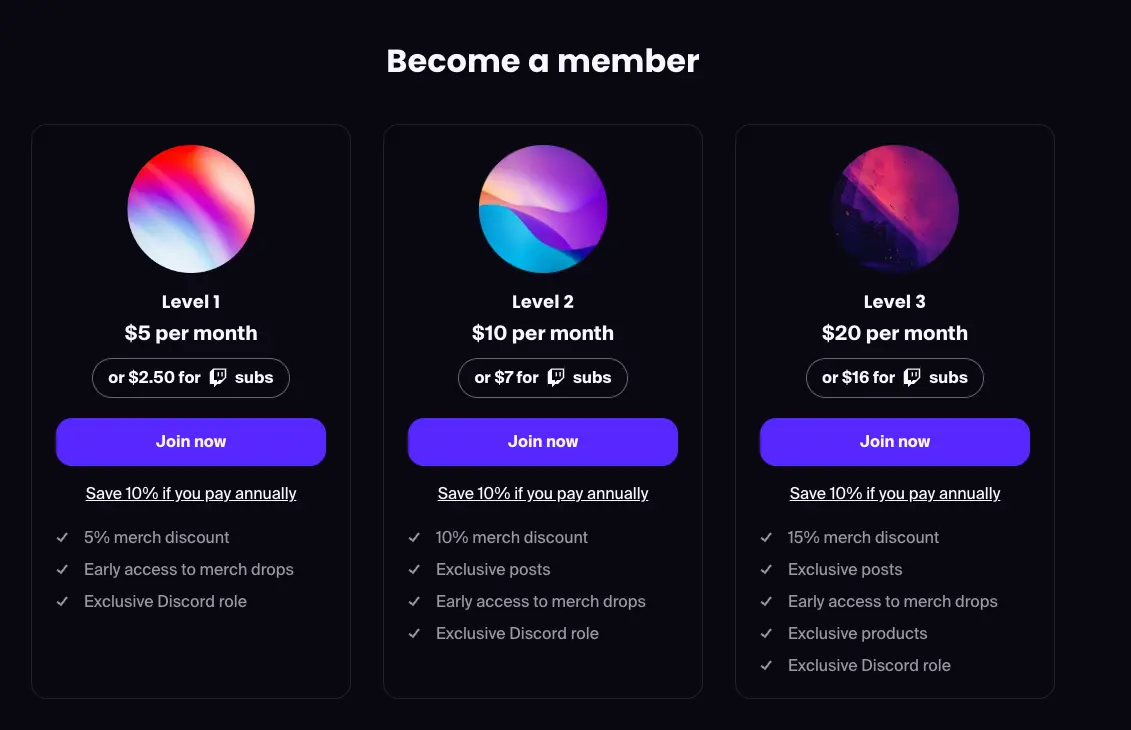
Once you've completed setup, customers will see your Twitch sub discounts displayed on the Tiers section of your homepage and on your pricing page (yourshopname.com/supporters/pricing).
When a customer clicks "Join now", they will be taken to the checkout page, where they will have the option to link their Twitch account in order to verify their subscriber status on your channel.
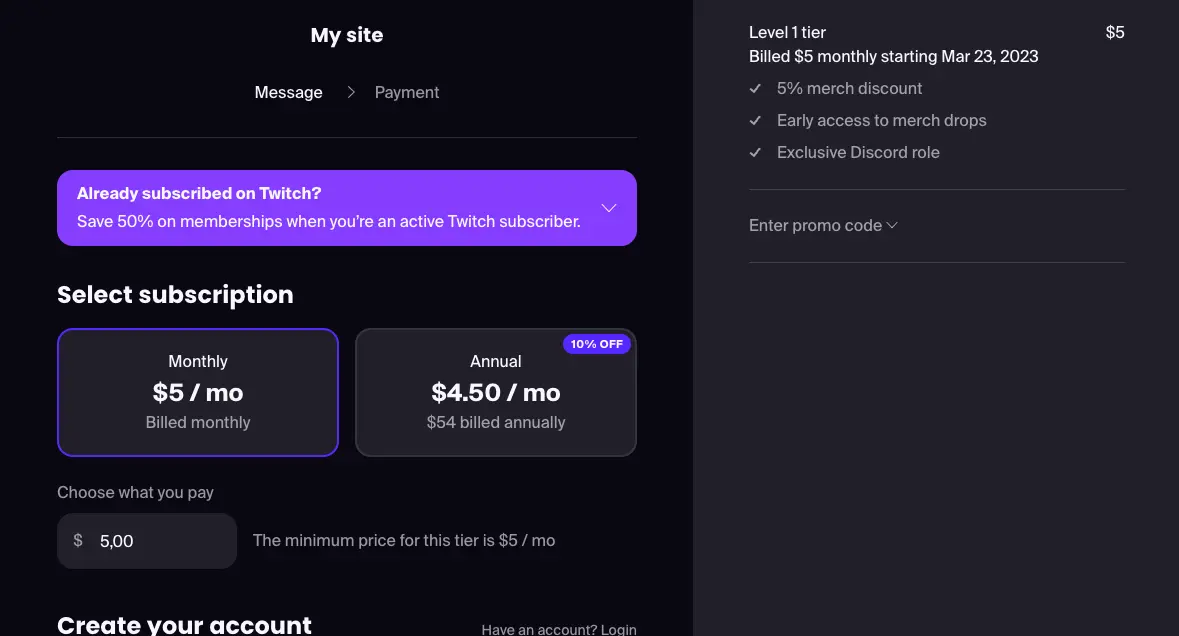
Once their Twitch account is connected and their subscription has been verified, the Twitch sub discount will automatically apply and they will be able to complete the checkout process and enjoy their new membership.

Note: Twitch sub discounts apply as long as a member has an active Twitch subscription to your channel. If they unsubscribe, their membership will automatically update to reflect the normal price. If they resubscribe, they can reconnect their Twitch account to reactivate the discount.
You're now ready to take full advantage of Fourthwall's Twitch integrations for Memberships. Still have questions? Check out our Memberships FAQ.