Add social links to your site
Updated June 12, 2026
Help fans connect with you beyond your store by linking all your socials in one place
Your site isn't just for selling merch. It's also the central hub of your online brand. You can add social media links to your storefront, which give fans more ways to follow your content, engage with your community, and stay updated on what you're doing next.
This article will guide you through the process of adding your social media links to your site.
What platforms can I link?
You can connect your store to a wide range of social and content platforms, including:
- Apple Podcasts
- Bandcamp
- Bluesky
- Discord
- Kick
- Ko-fi
- LiveSpace
- Mastodon
- Patreon
- Snapchat
- SoundCloud
- Spotify
- Substack
- Telegram
- Threads
- Throne
- TikTok
- Twitter/X
- YouTube
How to add social links to your site
Step 1: From your Fourthwall dashboard, navigate to Site design > Style > Social links.

Step 2: Click + Add social link and select the intended platform from the list.
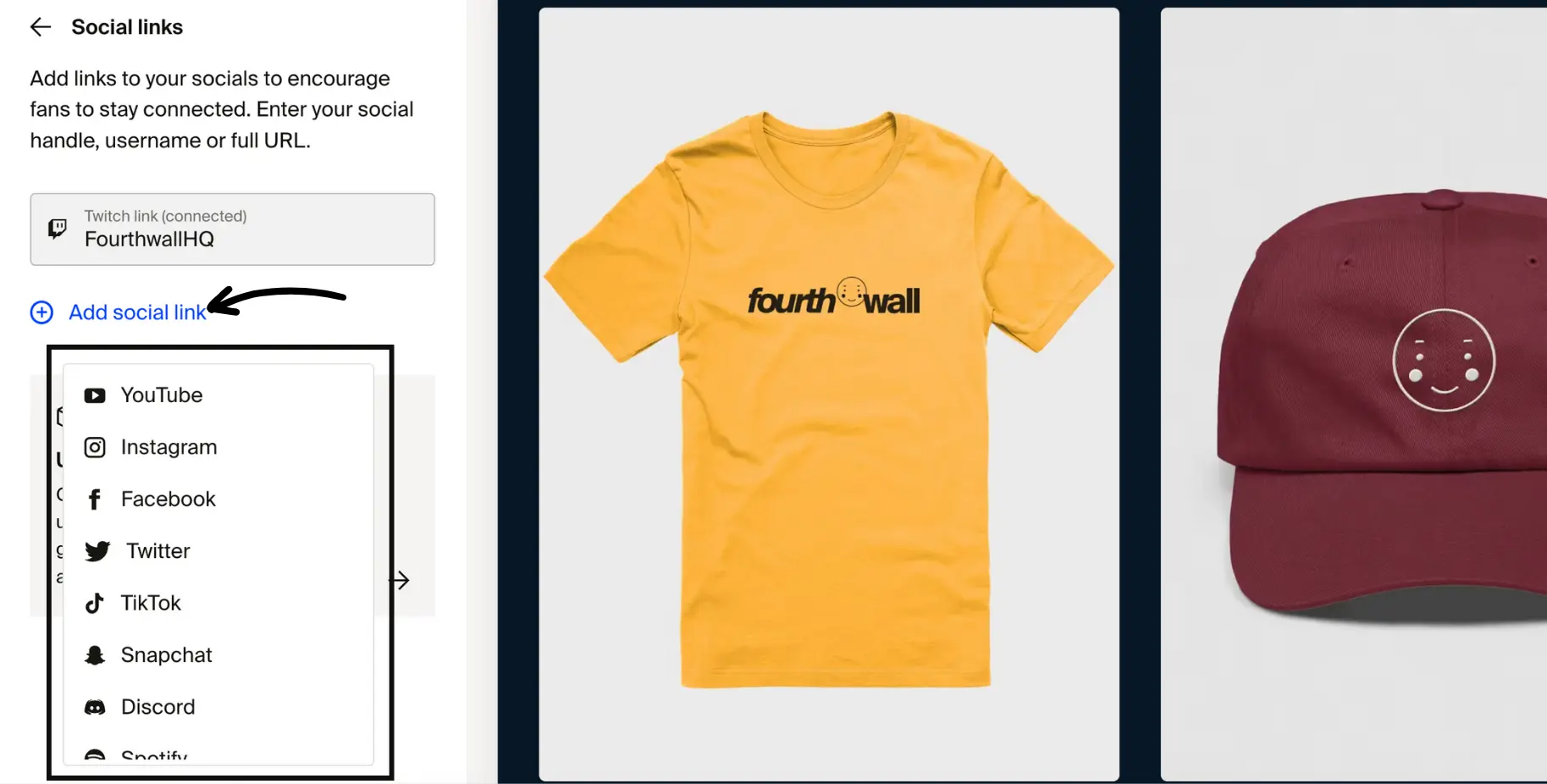
Step 3: Depending on the platform requirements, enter your handle, username, or full URL in the box provided.

Step 4: Be sure to click Save.