Shipping Groups
Updated May 19, 2026
Group self-fulfilled products by the countries you ship them to
If you ship products yourself, shipping groups let you control which countries each group of products can be sold to. Use them when some self-fulfilled products can only be delivered to certain regions, like a US-only line of apparel alongside accessories you ship worldwide.
Shipping groups only apply to self-fulfilled products (products where you handle shipping). Products fulfilled by Fourthwall's partners use automatic shipping calculations and don't use shipping groups. Shipping groups control country availability, not shipping rates.
Turn on country restrictions
The shipping groups section is hidden by default. Enable it first.
Step 1: Go to Settings > Shipping in your dashboard.
Step 2: Check the Restrict the countries where I ship my products checkbox.
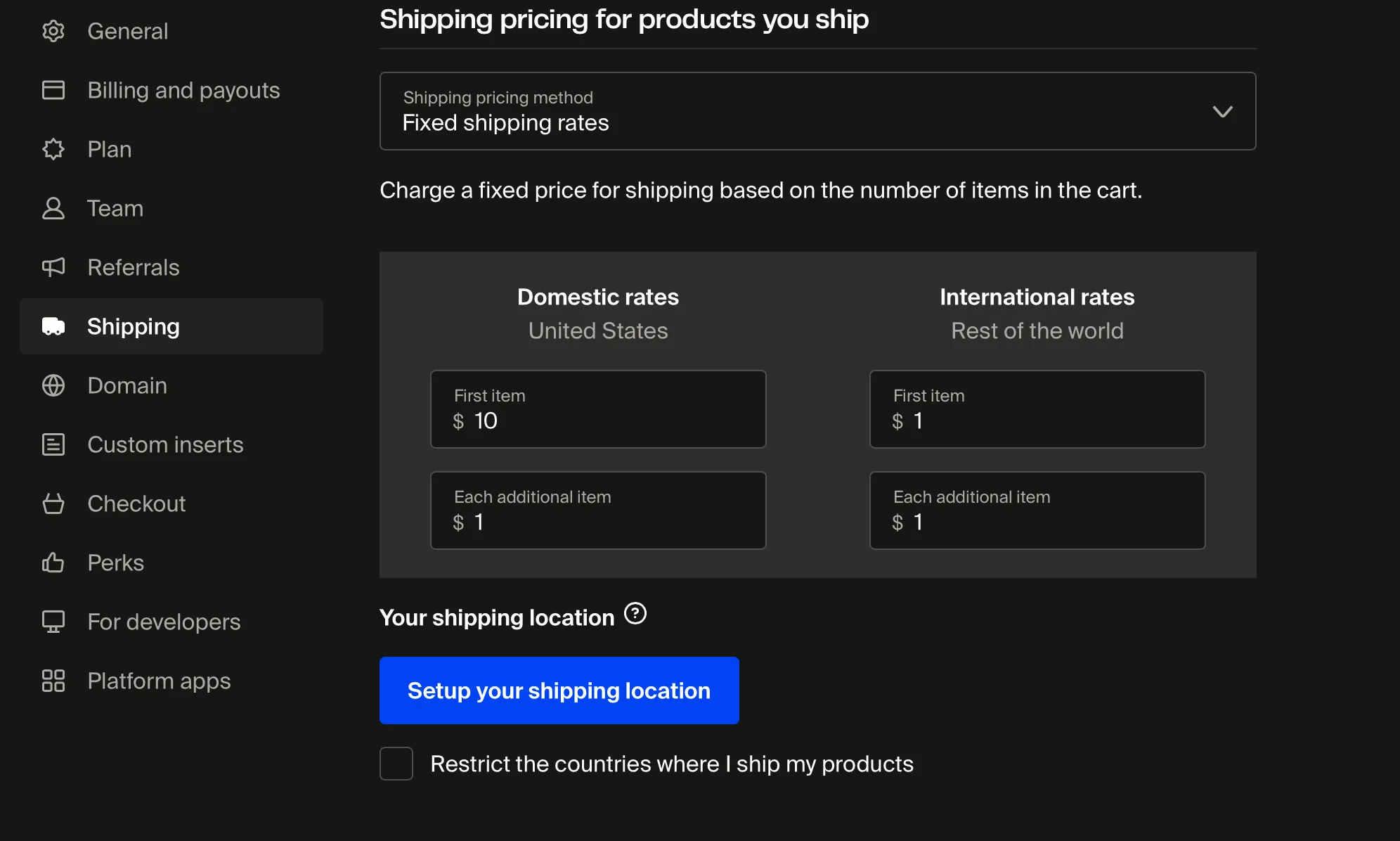
Once checked, the shipping groups section appears below.
Create your first shipping group
When no shipping groups exist yet, the page shows an empty state with a single button.
Step 1: Click Select products to limit shipping to.
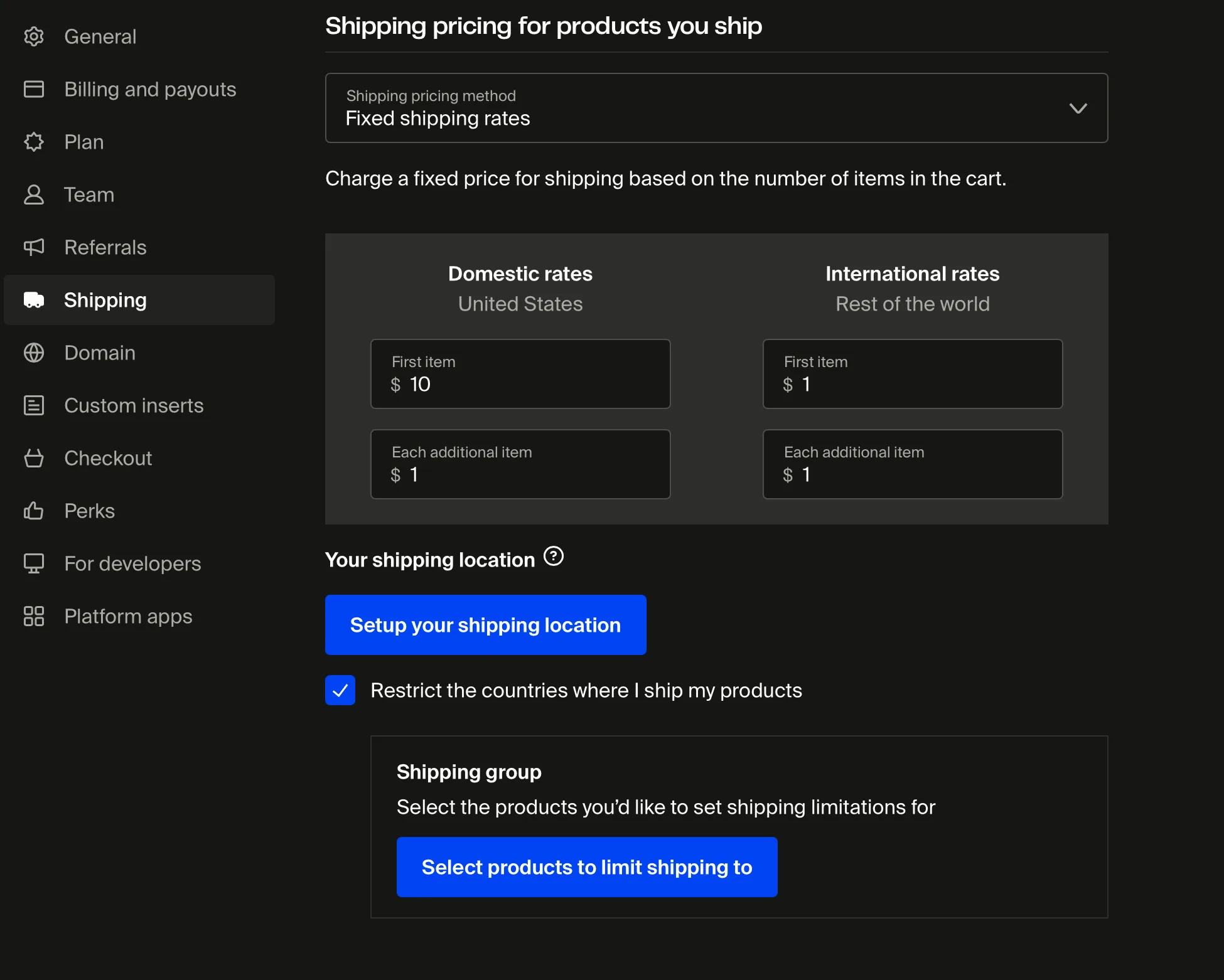
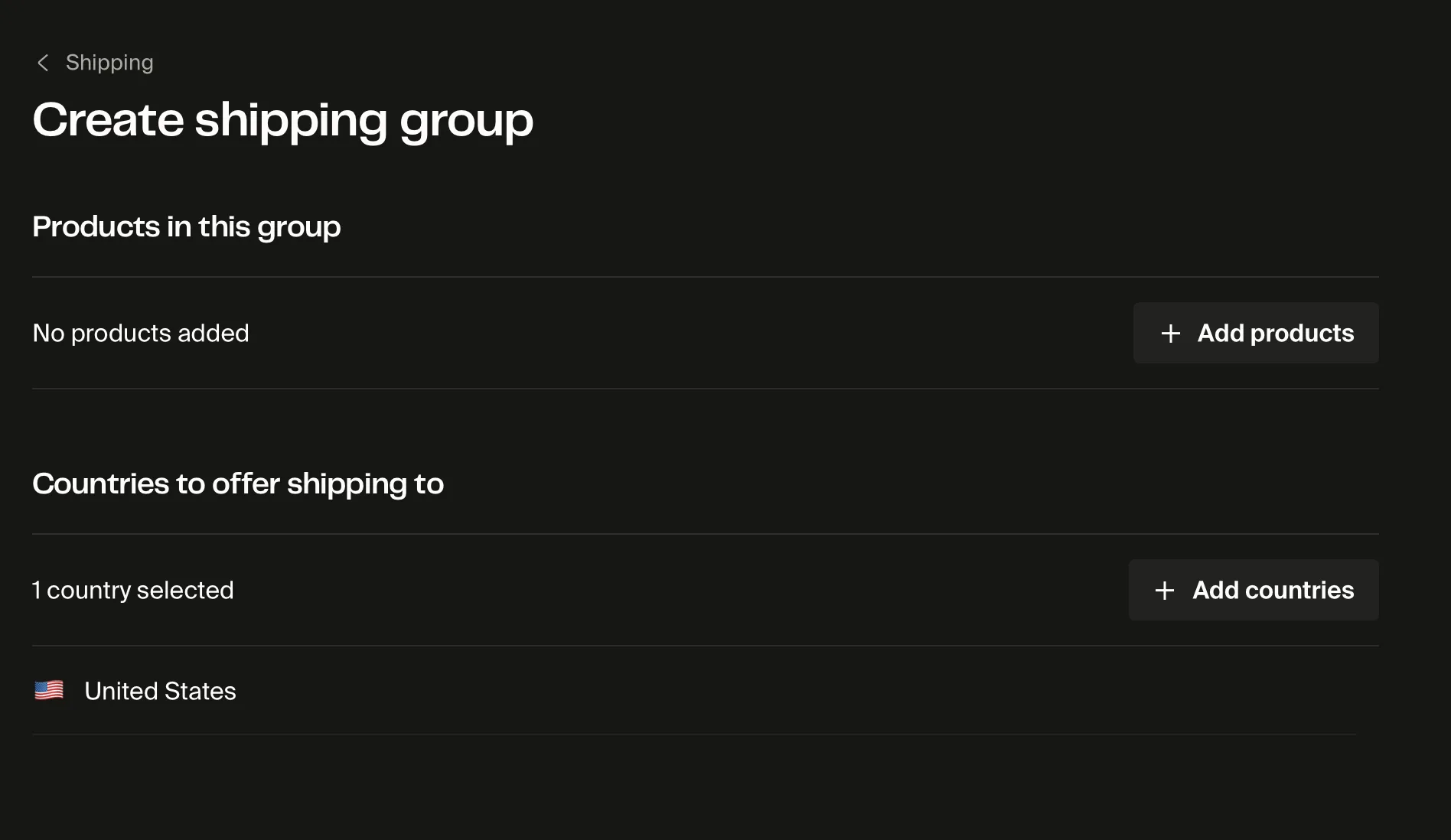
Step 2: Select the self-fulfilled products you want to include in this group.
Step 3: Choose the countries this group ships to.
- All countries. Products in this group ship worldwide with no restrictions.
- Specific countries only. Pick the countries you want to ship to. Customers in other countries won't be able to purchase products in this group.
Step 4: Click Save to create the group.
Add another shipping group
After you have at least one group, a Create a shipping group link appears in the shipping groups section. Use it to add more groups for different country rules.
- Go to Settings > Shipping.
- In the shipping groups section, click Create a shipping group.
- Select the products and countries for the new group.
- Click Save.
Each self-fulfilled product can belong to one shipping group. Products not assigned to any group ship to all countries you sell to by default.
Edit or delete a shipping group
To change which products are in a group or which countries it ships to:
- Go to Settings > Shipping.
- Click the shipping group you want to modify.
- Update the Products in this group list or the Countries to offer shipping to selection.
- Click Save.
To delete a group, open it and click Delete. Products from the deleted group revert to your default country availability.
Deleting a shipping group removes its country restrictions. The products in it become available to all countries you ship to. Reassign products or uncheck Restrict the countries where I ship my products if you no longer need country restrictions.
Frequently asked questions
Can I set different shipping rates per group?
No. Shipping groups only control which countries each group of products ships to. They don't set custom shipping rates. Shipping costs for self-fulfilled products are configured separately in your main shipping settings.
Do shipping groups work with on-demand products?
No. Shipping groups only apply to self-fulfilled products. On-demand products fulfilled by Fourthwall's partners use automatic shipping calculations. For the list of countries on-demand orders can ship to, see Countries Fourthwall ships to for on-demand products.
Can a product belong to multiple shipping groups?
No. Each self-fulfilled product can belong to only one shipping group at a time.
What happens if I don't assign a product to any shipping group?
The product ships to all countries covered by your default shipping settings. You only need shipping groups when you want to restrict specific products to a subset of countries.
Can I restrict shipping to specific regions within a country?
No. Country restrictions work at the country level. You can't restrict shipping to specific states, provinces, or regions within a country.
If you have any questions, do not hesitate to contact us at support@fourthwall.com.