Manage your email notifications
Updated April 13, 2026
We get more emails than we can read, so we understand how annoying emails can be. This article shows you how to edit your email notification preferences.
We try to minimize the amount of email notifications you will get and limit it to important information that you should know regarding your Fourthwall site. You can easily customize your email notification in your profile settings. Pick which email notifications you'd like to receive and which ones you would never want to see again.
Locating the email notification settings
Email settings are per user, so each team member can decide which notifications they want to receive and which ones they do not. To find your email notification settings, navigate to your profile icon at the top right corner of your Fourthwall dashboard. Then click Account settings > Email notifications.
Customize your email notification preferences
Once you get to your email notification settings, you can then select which notifications you want to receive or deselect those that you do not wish to receive.
There are three email notification categories:
- Marketing emails - emails we send you about new feature releases and marketing campaigns
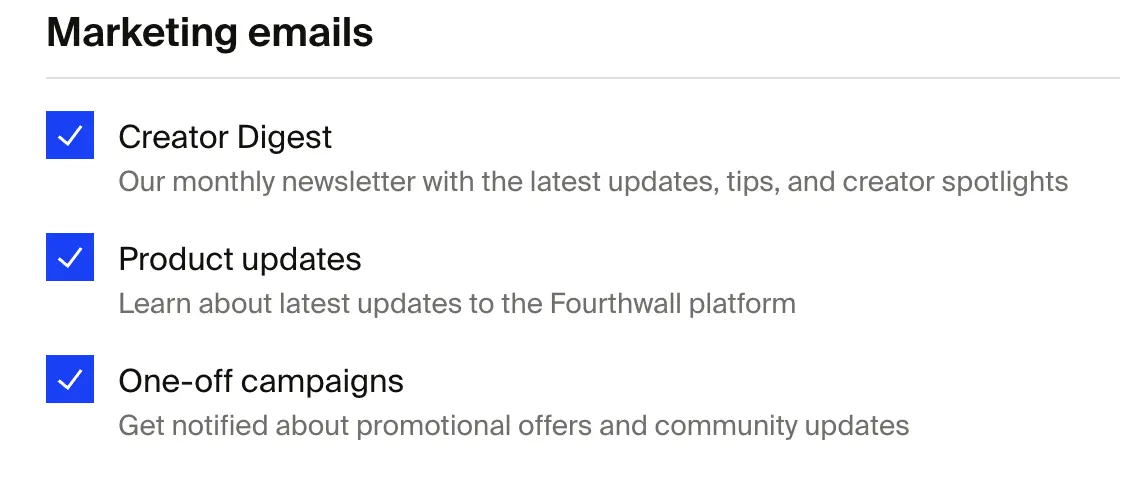
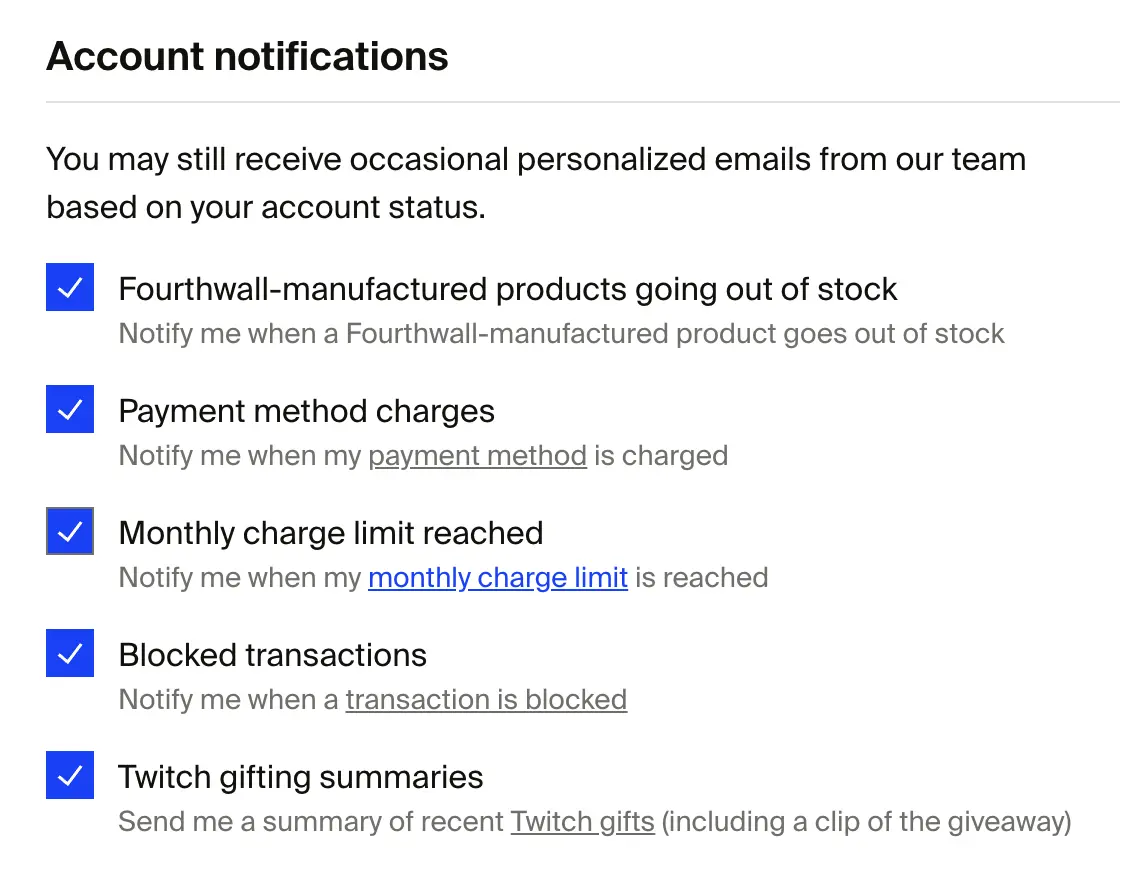
- Account notifications - emails about orders, including instant notifications when a new order is placed, products out of stock or discontinued, payment charges, charge limits, blocked transactions, and Twitch gifting
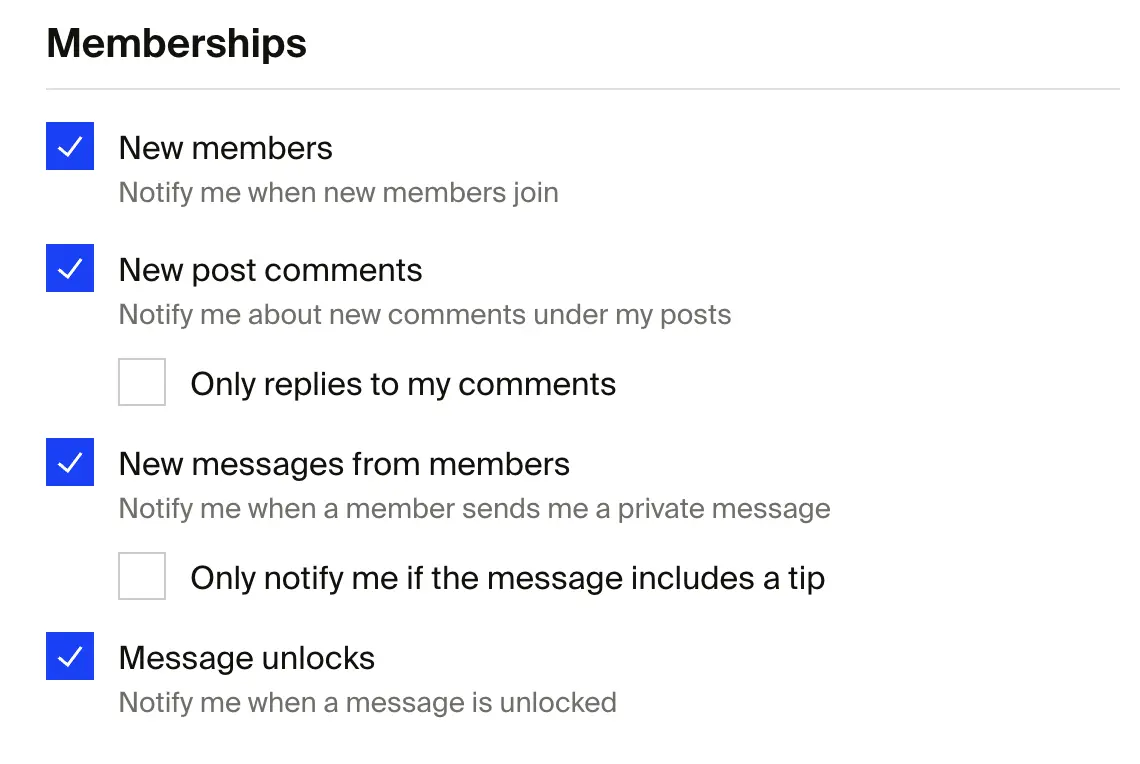
- Membership notifications - emails about membership activity, including new members, new posts, comment replies, and direct messages. These are only applicable if you have memberships turned on.
Manage notifications link in customer emails
Transactional emails sent to customers, such as credit card charge confirmations, include a Manage notifications link. This link lets customers control which emails they receive from your shop, keeping your email communications compliant with Google's sender guidelines.
If you have any questions, do not hesitate to reach out to us at support@fourthwall.com.