Beehiiv
Updated March 24, 2026
Sync Fourthwall newsletter signups and checkout opt-ins to beehiiv
beehiiv is a great platform that lets you monetize your audience through newsletters. When you link your Fourthwall site with Beehiiv, it automatically syncs all your newsletter signups and order emails (from those who have opted in to email marketing) directly to your beehiiv account.
Note: Fourthwall creators get access to a special introductory offer of 20% off the first three months with promo code FOURTHWALL before signing up for beehiiv.
How does it work?
Once connected, you can use beehiiv to send newsletter messages and updates to your audience. The following types of sign-ups will be registered:
Newsletter registrations
Any time a customer adds their email to your mailing list on your Fourthwall site, their email address will be automatically sent to beehiiv.

Checkout
Any time a customer places an order, their email address will be automatically sent to beehiiv (as long as they opt-in during checkout):

How to import data into beehiiv
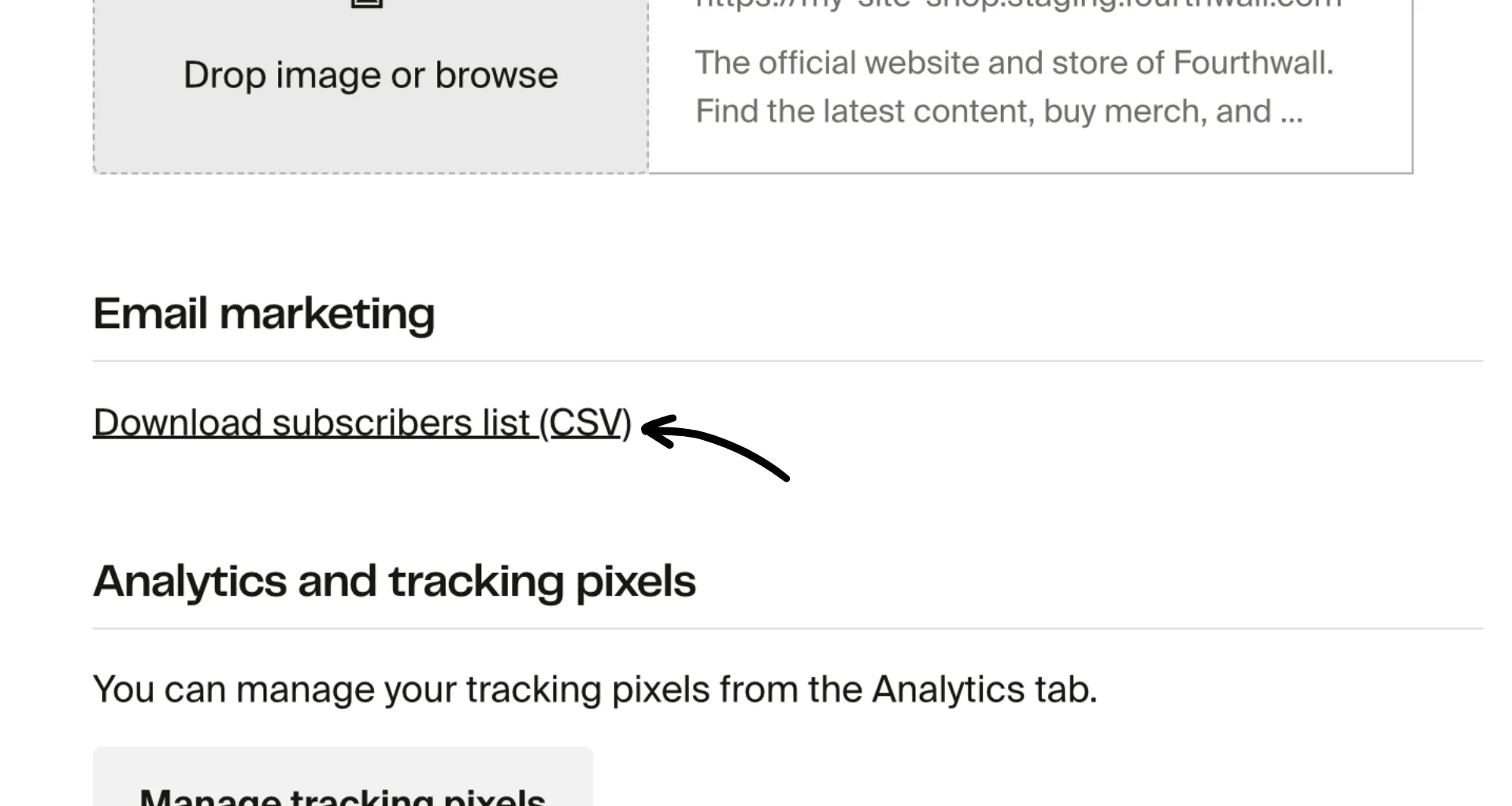
Emails will only sync from the time you connect your app; they will not sync retroactively. If you want to add past emails to your Beehiiv account, you can do so by downloading an export of your subscribers. To do this, go to Settings > General, scroll down to "Email marketing," and then click Download subscribers list (CSV).
How to connect beehiiv to Fourthwall
To add the beehiiv integration with your Fourthwall site, within your Fourthwall dashboard, go to Settings > Apps and locate the beehiiv app. Click on the app tile to get started.

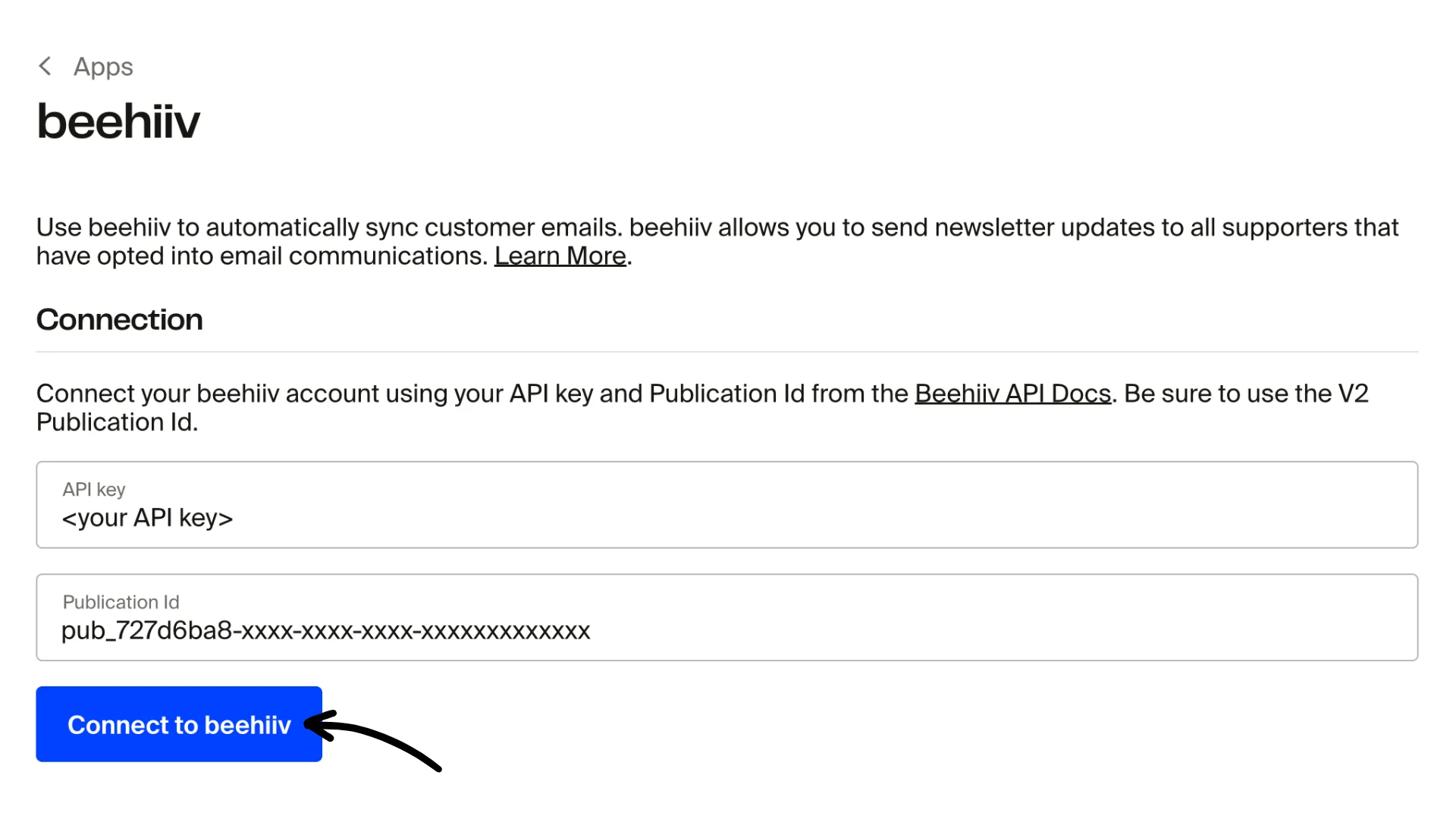
This will take you to the Connection screen, where you can connect your account.
You'll need to collect two items from your beehiiv account:
- Your beehiiv API key (requires identity verification via Stripe)
- Your beehiiv publication ID (be sure to use the V2 publication ID)
Insert both below and click the Connect to beehiiv button.
If successful, you'll see a connected state as shown in the image below.

Once connected, all future newsletter signups on Fourthwall and orders (with email opt-in) will automatically be added to your beehiiv newsletter.
How to disconnect beehiiv from Fourthwall
You can disconnect your beehiiv account from Fourthwall by clicking the Disconnect button in your beehiiv app when connected.
Note: Disconnecting will not remove emails that were previously set to beehiiv from Fourthwall. If you want to remove these, you'll need to do so manually via your beehiiv dashboard.