Kit
Updated July 11, 2026
Sync emails, automate marketing flows, and customize sign-up forms by connecting Kit to your Fourthwall site
What is Kit?
Kit is an email marketing and automation tool built for the Shopify ecosystem. It syncs customer emails from your Fourthwall site, lets you message past buyers, build automations, and run email campaigns.
Kit is not related to ConvertKit. ConvertKit is a separate email marketing platform that rebranded itself as "Kit" in 2024. It is a different company and product with no connection to this integration.
If you don't have a Kit account, you can sign up here.
How can you use Kit with Fourthwall
- Connect your Fourthwall account to Kit to enable the following:
- Any time a customer places an order, their email address will be automatically sent to Kit. The order will also be synced to Kit as a Purchase.
- Any time a customer subscribes to your newsletter mailing list, their email address will be automatically sent to Kit
- Any time there is a new customer on your memberships program, their email address and information will be automatically sent to Kit.
- Any membership subscription purchases and renewals will be synced to Kit as a Purchase so that you can calculate member life time value.
- Set up Sign-up forms for your site
- Once connected, you can use Kit to send:
- Promotional email campaigns
- And track the success rates of each email campaign
Integrating Kit with your Fourthwall site
To add the Kit integration with your Fourthwall site:
Step 1: Go to Apps within your Fourthwall dashboard and filter by "Email marketing" options. Click the Kit app to continue.
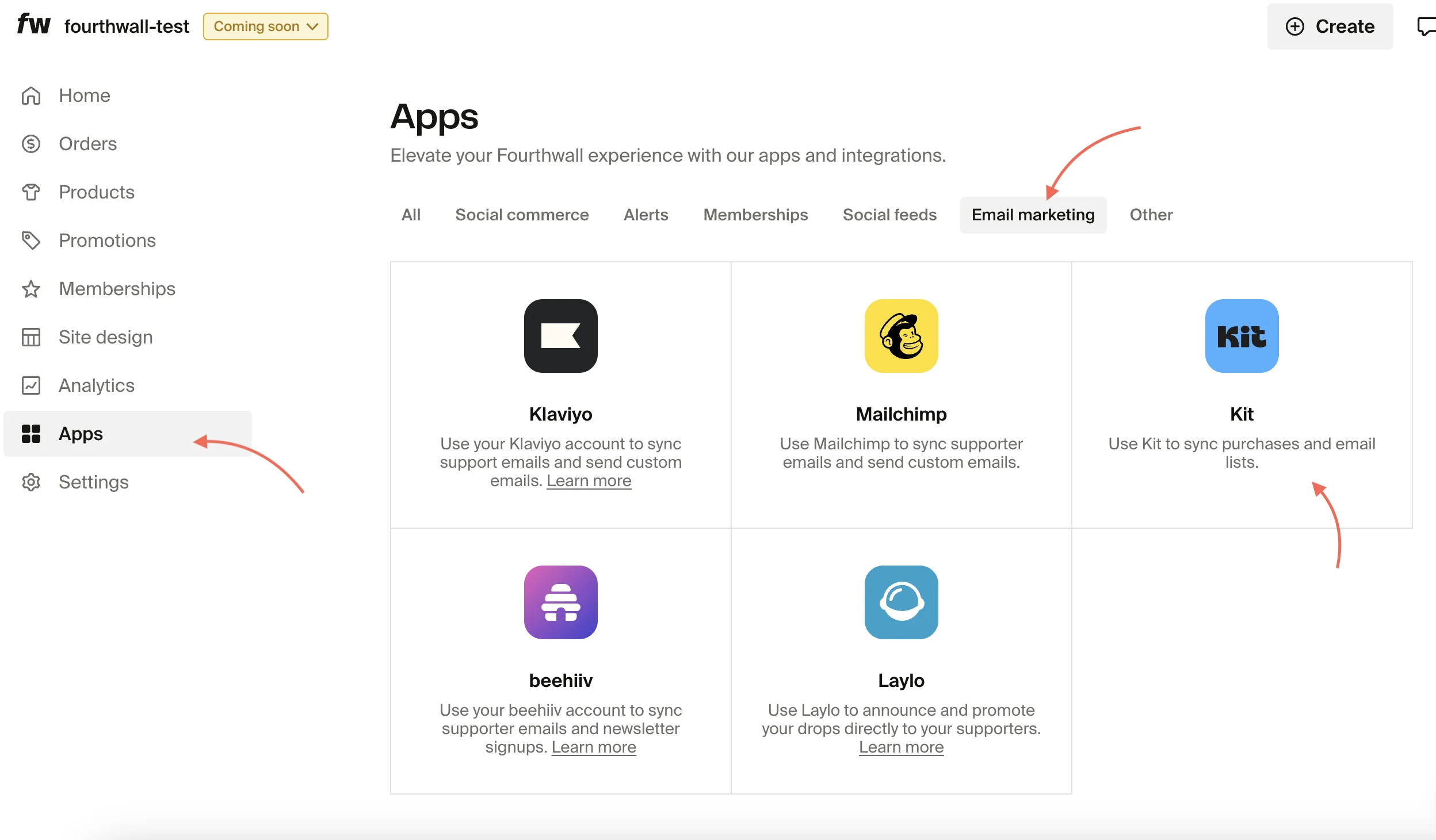
Step 2: In the next screen, you want to click on Connect to the right of the Kit app option.

This will take you to the app connection screen, as shown in the image below, where you can allow connection with your account. Click the Grant access to Fourthwall button.

Note: If you have multiple Kit accounts, make sure the correct one is being connected. If not, you can use the account dropdown to select the correct one to connect.
Your Kit account is now connected with your Fourthwall shop and will start sending transactional data to your Kit automatically. You now have the option to sync your existing memberships and newsletter subscribers with Kit, just click the Sync Data button.

Troubleshooting the Kit connection
Connect button takes you to Kit's entry page instead of the authorization screen
If clicking Connect drops you on Kit's homepage or sign-in page instead of the Grant access to Fourthwall authorization screen, your browser is likely stripping the OAuth redirect query parameters. Privacy-focused browsers like Brave can block these parameters as part of their tracking protection, which breaks the handoff between Fourthwall and Kit.
Try these steps in order:
- Disable your browser's privacy shields for Fourthwall and Kit. In Brave, click the lion icon in the address bar and lower Shields for both sites. In other browsers, turn off strict tracking protection or enhanced privacy mode for the session.
- Try an incognito or private window. This rules out session conflicts from cached logins or stored cookies tied to a different Kit account.
- Switch to a standard browser. If the issue persists, complete the connection in Firefox, Chrome, or Edge with default privacy settings. You can return to your preferred browser once the integration is connected.
If none of these steps resolve the issue, reach out to us at support@fourthwall.com and we'll help you finish the connection.
Content Blocks
To help you craft beautiful e-mails, we've provided two content blocks linked to your Fourthwall data that you can embed: a product block and a collection block.
As you're writing an email, type "/" to show a list of all content blocks you can add.

Type "fourthwall" to find the content block you want to embed.
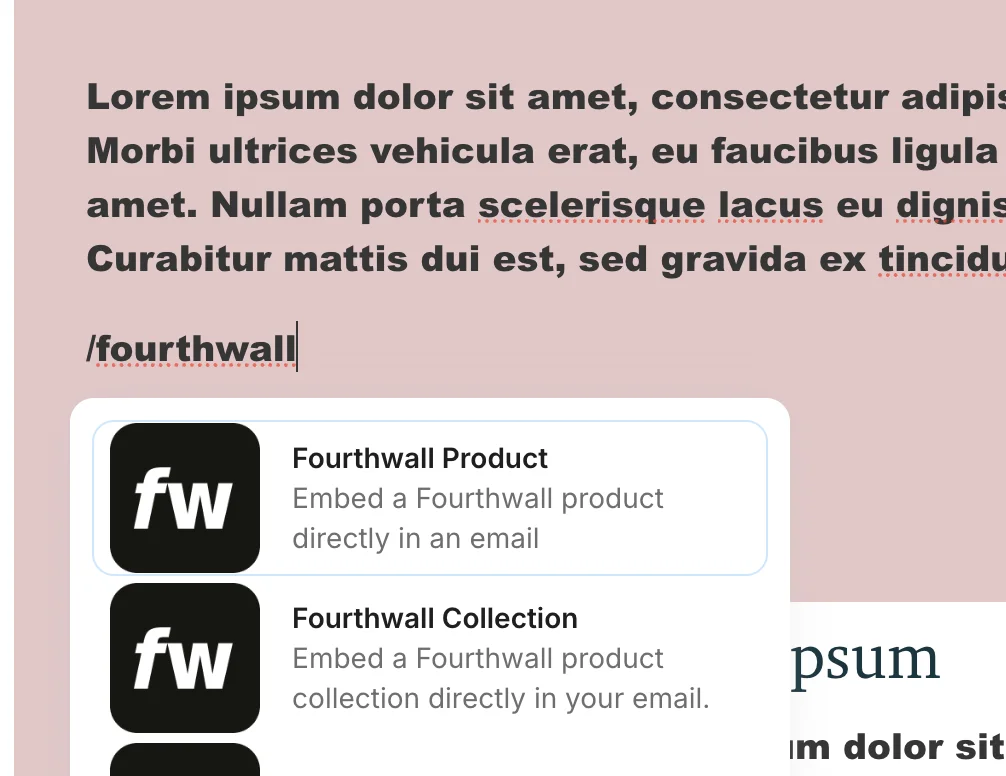
Once you click one of these content blocks, you will be able to configure it using the right hand side bar. The only required field is selecting the product or collection itself, which you can do using the auto complete search field.

You should now have a beautiful content block in your e-mail. There are tons of customizations you can make in the side bar as well. Look forward to seeing what you create!
