Update order details
Updated May 13, 2026
Learn when you can update an order, what changes are possible, and how to make them.
Sometimes you need to update an order's shipping address or adjust the items ordered. If the order has not already entered fulfillment, you can update details directly in Fourthwall.
Order details page
The order details page splits each order by shipment, so you can see exactly which items have shipped and which are still in progress. Every creator has access to this view from the Orders tab in the dashboard.
When can you update an order?
You can edit order details only if the order is still in the pre-fulfillment window (before production begins or a shipping label is purchased).
For orders with multiple shipments fulfilled by different partners, the edit window applies per shipment, not per order. If an order is in "Partially Shipped" status:
- Shipments still in production — the shipping address can still be updated via the dashboard.
- Shipments already shipped — those shipments are individually locked and cannot be updated through the dashboard.
For a shipment that has already shipped, contact the carrier directly to request a delivery intercept. If you need to cancel and re-create an order, contact Fourthwall Support.
What can be updated?
You can make changes such as:
- Shipping address (creator): Fix typos or update the delivery location. For partially shipped orders, the dashboard updates only the shipments still in production.
- Shipping address (customer self-service): Customers can change their street and number shortly after placing an order, before production starts. City, country, and zip code changes are blocked because they affect tax calculation.
- Order items: Adjust quantities, remove items, or cancel the order if still in the allowed window.
- Shipping method: Upgrade or modify shipping speed (if applicable).
How to update the shipping address
-
In your Fourthwall dashboard, go to Orders > All orders.
-
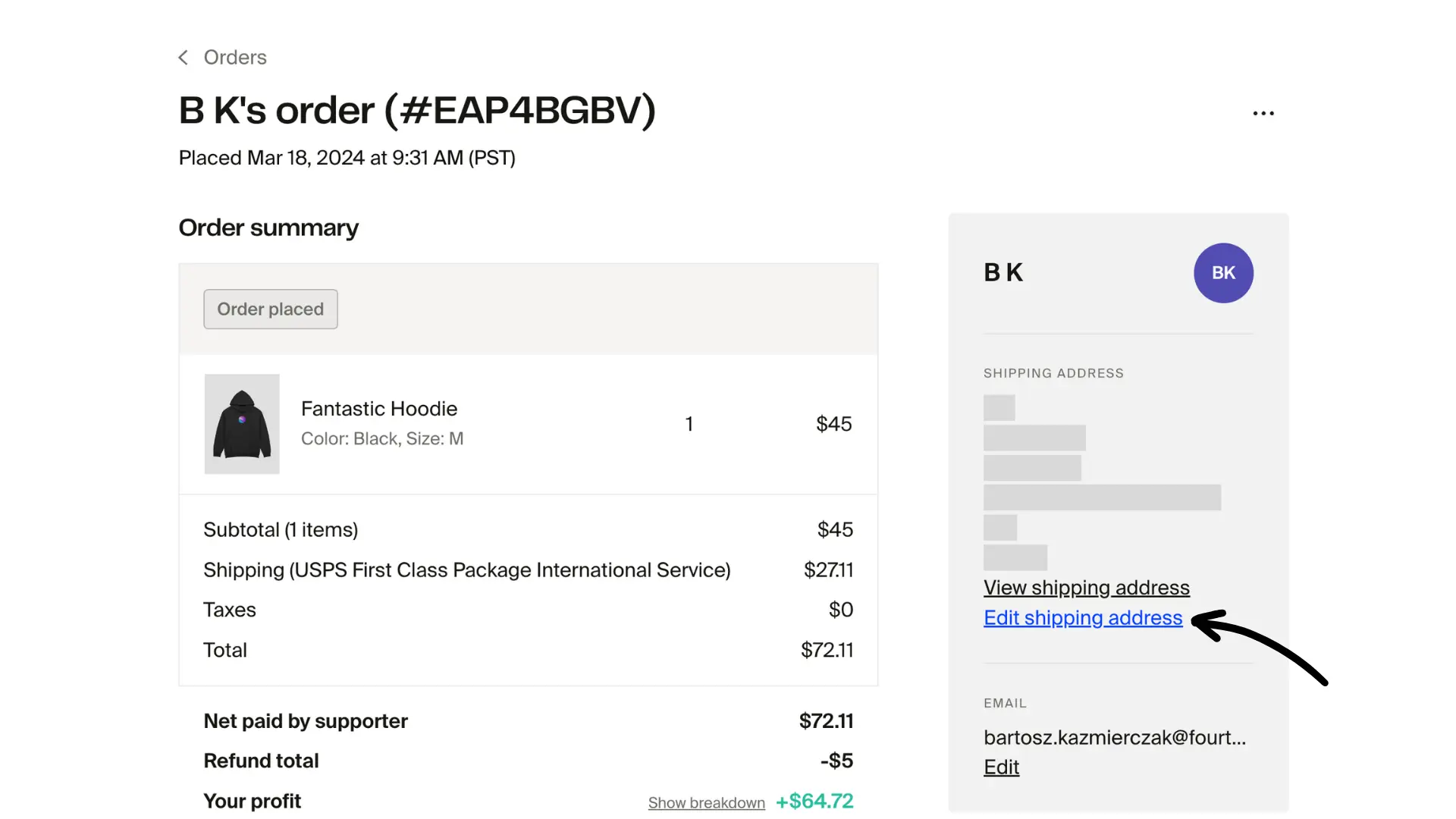
Click to open the order you want to update.
-
Click Edit shipping address.
-
Enter the new details and click Update shipping details.
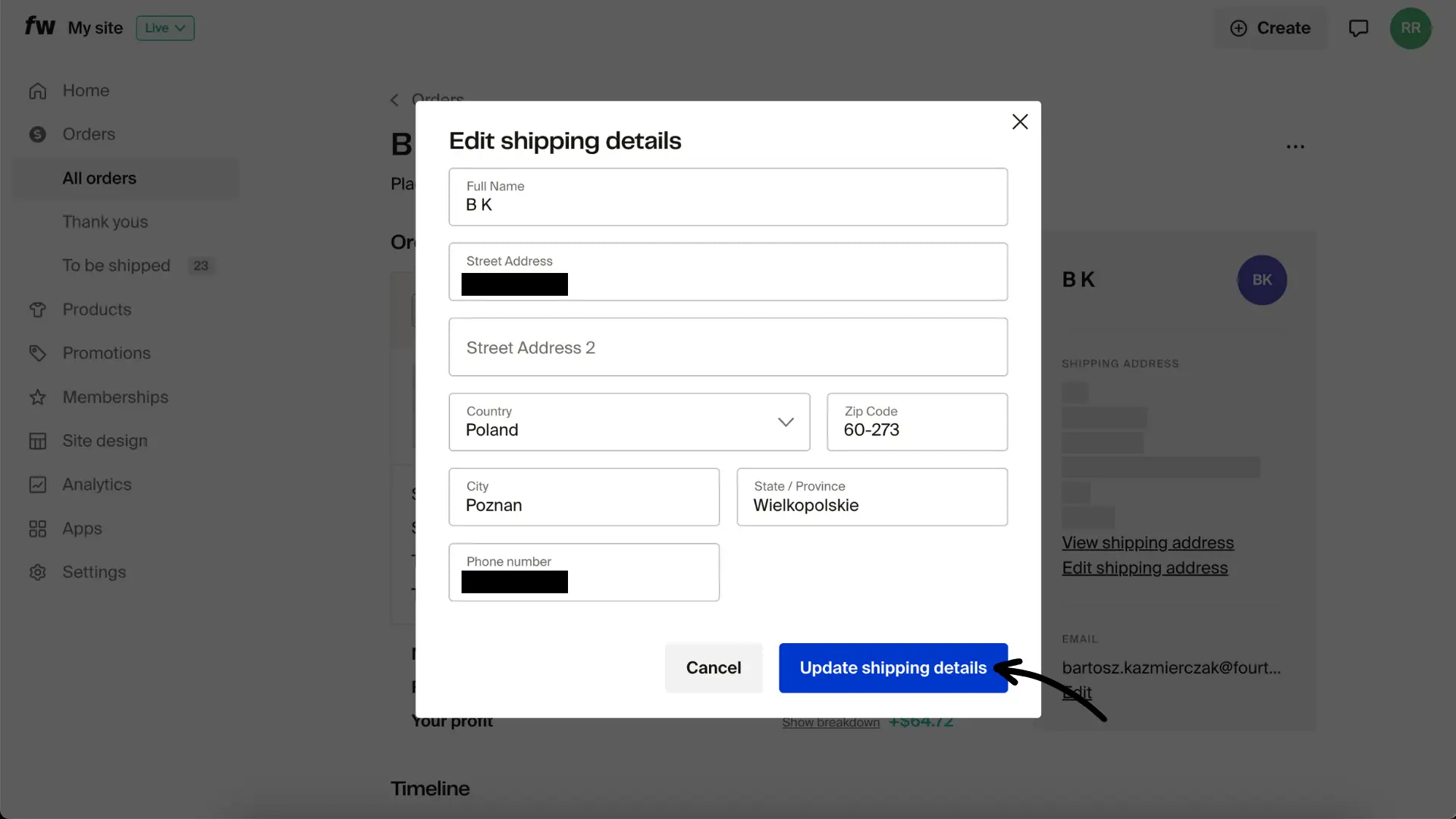
Always make address edits in Fourthwall so fulfillment and customer notifications stay in sync.
For Partially Shipped orders, clicking Edit shipping address updates only the shipments that are still in production. Shipments already in transit are not affected.
Already-shipped shipments
If a shipment has already left the warehouse, the dashboard cannot update its address. You have two options:
- Carrier intercept — contact the shipping carrier directly with the order's tracking number and request a delivery intercept or redirect. Availability and fees vary by carrier.
- Cancel and re-create — if an intercept isn't possible, contact Fourthwall Support. In some cases the support team can help cancel and re-create the relevant shipment.
Customer self-service address changes
Customers can update their street address and number for a short time after placing an order, before production starts. This change is available directly from the order confirmation or order status page.
City, country, and zip code cannot be changed by customers because those fields affect tax calculation. If a customer needs to update those fields, they should contact you so you can cancel and re-create the order.
How to modify an order
- Go to All orders.
- Select the order to view its details.
- From the order menu, click the three-dot menu icon and choose one of the available actions:
- Edit order (update variant, restock, etc.)
- Cancel items (cancel items or the order)
- Refund order (provide the amount to refund)

If you have any questions, contact Fourthwall Support.